
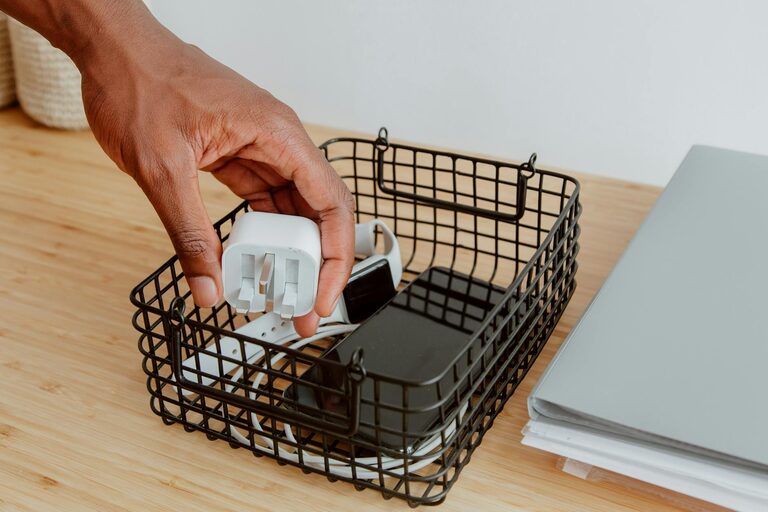
Keeping cables and chargers neatly organized can transform chaotic spaces into clean, efficient areas. Whether it’s your home office, entertainment center, or bedside table, a little effort to manage cables pays off with less clutter and easier access. In this guide, we’ll explore simple strategies and creative ideas to organize your cables and chargers effectively.
Why Organizing Cables Matters
Messy cables don’t just look untidy—they can create frustration when you need to find the right charger or risk damaging cords. Organized cables improve safety by reducing tripping hazards and prevent wear and tear. Plus, a neat setup makes your workspace or living area more inviting.
Assess Your Cable Needs
Before diving into organization, take a moment to evaluate the cables and chargers you own:
– Identify essential cables: Sort out the cables and chargers you use regularly and those you rarely or never use.
– Label your cables: Use simple labels or colored tape to mark what each cable belongs to for easy identification.
– Discard old or broken cables: Safely recycle or dispose of any damaged or obsolete cords.
Cable Organization Tools and Supplies
These tools help keep cables tidy and secure:
– Cable ties and zip ties: Great for bundling cables together; reusable options are available.
– Velcro straps: Flexible and adjustable, perfect for grouping cables without damage.
– Cable sleeves: Fabric or neoprene sleeves that bundle multiple cables together into one smooth cord.
– Cable clips and holders: Attach these to desks or walls to route cables and prevent tangling.
– Cord boxes: A box designed to hide power strips and extra cable length neatly.
Step-by-Step Guide to Organize Your Cables and Chargers
1. Untangle and Clean Your Workspace
Begin by unplugging and removing all cables from your workspace. Wipe down your desk or charging area to create a fresh start.
2. Sort and Group Cables by Type or Usage
Group cables by device or function, such as phone chargers, laptop cables, or audio cords. This grouping helps you know where each cable belongs.
3. Shorten Excess Cable Length
Extra-long cables can create unnecessary clutter. Coil them gently and secure the loops with velcro straps or reusable ties to prevent tangling.
4. Use Cable Holders and Clips
Attach cable clips along your desk edges or under the desk to route cables neatly. This keeps chargers accessible but out of the way.
5. Label Your Cables
If you didn’t label earlier, now is a good time. You can use simple masking tape and a marker or invest in pre-made cable tags.
6. Store Chargers in a Dedicated Space
Keep chargers together in a drawer, box, or basket. Consider a charging station with multiple USB ports to reduce the number of individual adapters.
7. Hide Power Strips in Cord Boxes
Cord boxes conceal power strips and keep multiple plugs organized. They also protect cords from pets or accidental unplugging.
Tips for Maintaining Cable Organization
– Schedule a quick check every few months to reorganize cables and remove unused ones.
– Keep cable organization tools handy to tackle new cables as they come.
– Use charging stations to centralize device charging in one neat location.
– Avoid over-stretching cables to prolong their lifespan.
Creative Cable Management Ideas
– DIY twist ties: Use old bread clips or twist ties to bundle cables.
– Binder clips: Clamp cables at the edge of desks to prevent slipping.
– Magnetic cable organizers: Stick magnets to cables and metal surfaces to hold them in place.
– Wall-mounted organizers: Create charging stations on the wall with shelves and hooks for easy access.
Conclusion
Organizing your cables and chargers doesn’t have to be difficult or expensive. With a little time, basic tools, and consistent care, you can achieve a clutter-free space that makes connecting your devices easier and more pleasant. Start with a simple system that fits your lifestyle, and enjoy the benefits of tidiness and convenience every day.